1. Home
  2. AI & Technology
  3. Custom Software & Web Applications

Custom software and web applications

Custom Software Built Around the Way Your Business Works

We design and build web applications for workflows that off-the-shelf software does not fit: internal dashboards, client portals, operations platforms, APIs and SaaS products. Authentication, roles, testing, documentation and a clear handover are part of the build from day one.

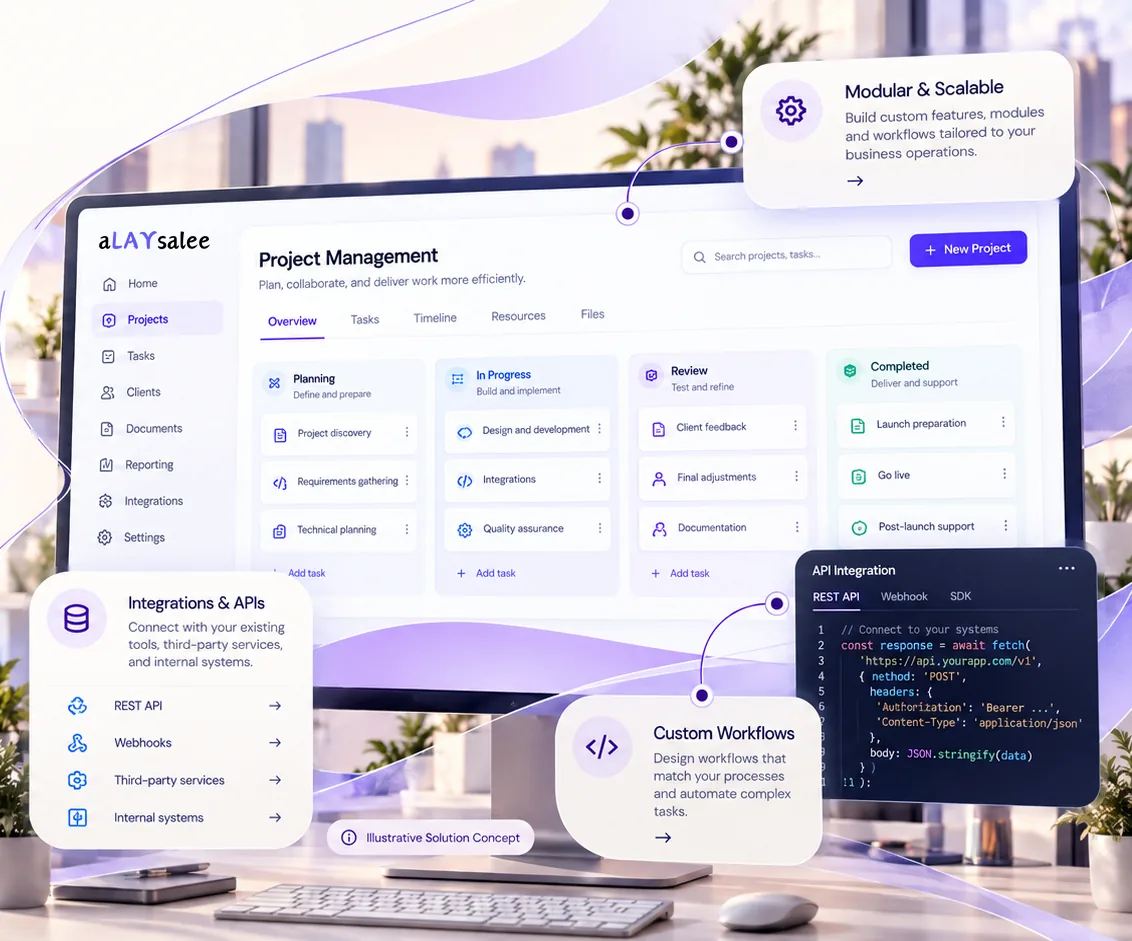
Illustrative custom business application: a project management board with planning, in-progress, review and completed columns, plus panels for integrations and APIs, custom workflows and an API request example.
Illustrative Solution Concept. A sample business application. Modules, integrations and workflows are scoped to your requirements.

Types of applications

What custom software can be

Custom software is worth considering when your process is a real advantage, when off-the-shelf tools force awkward workarounds, or when several systems need one place to come together.

  • Internal dashboards and tools that bring scattered data and actions into one screen.
  • Client and partner portals for requests, approvals, documents and status.
  • Operations platforms for scheduling, inventory, jobs or case management.
  • APIs and backends that connect systems or power mobile and web front ends. See API and backend development.
  • SaaS products with tenants, roles and admin tooling. See SaaS engineering.

Client portal · Example Facilities Group

Illustrative

Welcome back, Dana · Site manager

14 open · 3 awaiting approval

  • Approvals

    HVAC repair · Building C · $2,340

    Approve, reject or ask a question.

  • Documents

    Service reports and invoices

    Uploaded files stored privately, linked to each job.

  • Roles

    Client manager · Site contact · Contractor

    Each sees only their sites and actions.

  • Admin

    Users, sites, notifications, audit log

    Managed by your team, no developer needed.

Illustrative product concept with a fictional company and data. It is not a delivered client application.

Scope and deliverables

What a software project includes

The specific scope is written down before the build. These are the elements most projects need.

Included

  • Discovery and written scope
  • Architecture and UX design
  • Authentication, roles and admin
  • Integrations and testing
  • Deployment, documentation and handover
  1. Discovery and scoping

    Users, workflows, data and integrations, turned into a written scope with assumptions and exclusions.

  2. Architecture

    Framework, data model, hosting and integration approach chosen for maintainability, not novelty.

  3. UX and interface design

    Screens designed around real tasks, tested with the people who will use them.

  4. Authentication and roles

    Sign-in, permissions by role and, where appropriate, multi-factor authentication.

  5. Admin and content management

    Settings, users and content your team can manage without a developer.

  6. Integrations

    Connections to your existing tools through APIs and webhooks. See [software integration](/services/software-integration).

  7. Testing

    Automated tests for critical behavior, plus manual testing of real workflows.

  8. Deployment and handover

    Production setup, backups, documentation and a walkthrough for your team.

Example scenarios

Four kinds of projects

Fictional examples to illustrate the range of work. They are not Alaysalee clients, products or results.

Example · Operations dashboard

Situation

A distribution business tracks orders, stock and exceptions across three tools and a spreadsheet.

What would be built

A dashboard that pulls the key data into one view, with actions for common exceptions and alerts for overdue items.

A person stays involved

Managers decide on exceptions; the dashboard only brings them to attention.

Example · Client portal

Situation

A facilities company emails clients for approvals and sends reports as attachments.

What would be built

A portal where clients see work orders, approve quotes, download reports and message the team, with role-based access per site.

A person stays involved

Approvals are made by named client users and recorded.

Example · Internal booking platform

Situation

A training provider manages rooms, trainers and courses in shared calendars.

What would be built

A booking platform with availability rules, conflict detection and reporting.

A person stays involved

Coordinators override rules when needed, with a reason recorded.

Example · Early-stage SaaS

Situation

A founder has validated an idea with a no-code prototype and needs a real product foundation.

What would be built

A multi-tenant application with sign-up, roles, admin tooling and a billing-provider-ready structure.

A person stays involved

The founder prioritizes features at each increment.

Engagement approach

A transparent build process

Projects are delivered in increments against a written scope, so you see working software early and can adjust priorities.

  1. Discovery

    We meet the people involved, map the workflow and data, and agree what success looks like.

  2. Scope and estimate

    You receive a written scope with deliverables, exclusions, assumptions and a custom quote.

  3. Design

    Key screens and the data model are designed and reviewed with you before building.

  4. Build in increments

    Working software is delivered in stages, with automated tests and regular demos.

  5. Testing and launch

    Real workflows are tested, production is set up with backups, and the launch is planned.

  6. Handover and support

    Documentation, a walkthrough and source code, with optional ongoing support.

Trust, security and oversight

Ownership, quality and support

  • Code ownership

    Set out in the contract. Our standard approach is that you receive the source code and documentation for the work we build for you.

  • Maintainable by others

    Established frameworks, readable code, automated tests and written documentation, so you are not dependent on us.

  • Security as a baseline

    Input validation, secure authentication, role checks, dependency updates and secrets kept out of code.

  • Post-launch support

    Optional support for fixes, updates and improvements, agreed separately with clear terms.

Fit

When custom software is, and is not, appropriate

A good fit when you have

  • Your workflow is specific and off-the-shelf tools force workarounds
  • Several systems need one place to come together
  • You expect to maintain and improve the software over time
  • You can give a person time to answer questions and review increments

Probably not a fit when

  • A mature product already does what you need with reasonable configuration
  • The budget only covers building, not running and maintaining the software
  • The requirements are still unknown: start with a short discovery phase
  • You need a guaranteed fixed delivery date before the scope is understood

Readiness

Questions that help us scope your project

  • Who will use the software, and what are their main tasks?
  • What do they use today, and what goes wrong?
  • Which systems must it connect to?
  • What data will it hold, and how sensitive is it?
  • Are there deadlines driven by real events?
  • Who on your side will make product decisions?

Questions

Questions about custom software

Something else on your mind? Ask us directly

How long does a custom software project take?

It depends on the number of user roles, workflows and integrations. A focused internal tool is a much smaller project than a multi-tenant product. We estimate after discovery and deliver in increments so you see progress early.

How much does it cost?

Every project is custom quoted from a written scope, because cost depends on what is being built and integrated. We do not publish standard prices. A discovery conversation is free and without obligation.

Who owns the code?

Ownership is set out in the contract for each project. Our standard approach is that you receive the source code and documentation for the work we build for you, while third-party libraries and services keep their own licenses.

Which technologies do you use?

Established, well-supported frameworks chosen for maintainability and your hosting environment, typically modern PHP or JavaScript stacks with relational databases. We explain the choice in the scope.

What happens after launch?

You receive documentation and a handover walkthrough. Ongoing support for fixes, updates and improvements is optional and agreed separately.

Can you work with an existing codebase?

Often, yes. We start with a review of the code, its tests and its dependencies, then recommend whether to extend, refactor or replace parts of it.

Next step

Tell us how your business actually works.

Describe the users, the workflow and the tools involved. We will help you decide whether custom software is the right investment and what a first version should include.

We reply by email. An inquiry is not a contract, and there is no obligation.

Start a Conversation

We use these details only to reply to your inquiry. Nothing is shared or used for marketing. Privacy Policy

What is this about?

At least 20 characters.